How to Save Money on Streaming in the UK
By the StreamingSaveMoney Editorial Team · Last checked: 27 October 2026
Keep what you love. Spend less on what you do not use. That is the whole idea behind this guide. You do not need to cancel everything or give up your favourite shows to save real money on streaming — you just need a simple, repeatable way to decide what stays and what goes.
Most UK households now juggle several services at once, and it is completely normal to lose track of what you are paying for. There is no judgement here. The aim is simply to make sure every pound you spend is buying you something you actually watch. Our verdict in one line: review each service against four options — Keep, Switch, Pause or Cancel — and the decisions tend to make themselves.
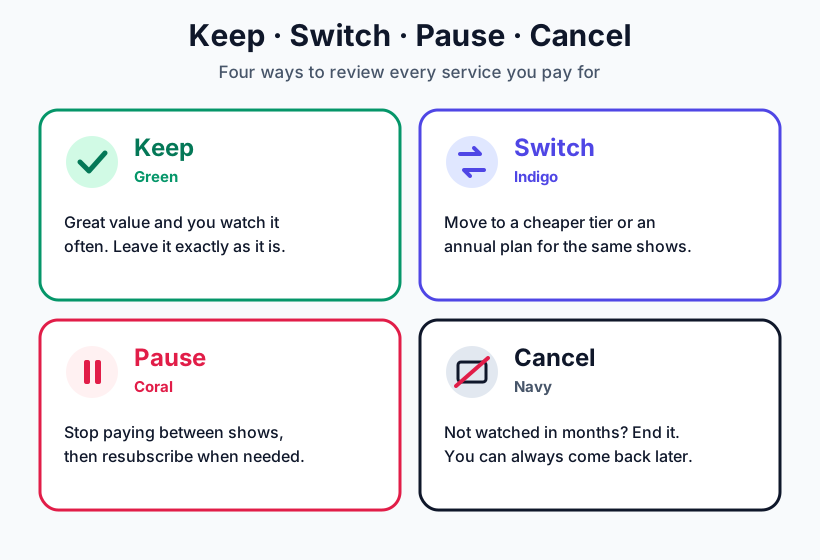
Here is what each option means:
- Keep (Green) — great value and you watch it often. Leave it exactly as it is.
- Switch (Indigo) — move to a cheaper tier or an annual plan and get the same shows for less.
- Pause (Coral) — stop paying between shows, then resubscribe when there is something you want to watch.
- Cancel (Navy) — not watched in months? End it. You can always come back later with no penalty.
Want to see your own numbers straight away? Use the free StreamingSaveMoney calculator to decide whether to keep, switch, pause or cancel each service you pay for. Prefer a guided route? Try the recommendation tool.
See the real yearly cost
Streaming charges feel small because they are monthly, but they add up quickly over a year. The single most useful habit is to multiply every monthly price by twelve. A service you rarely open suddenly looks very different when you see the annual figure.
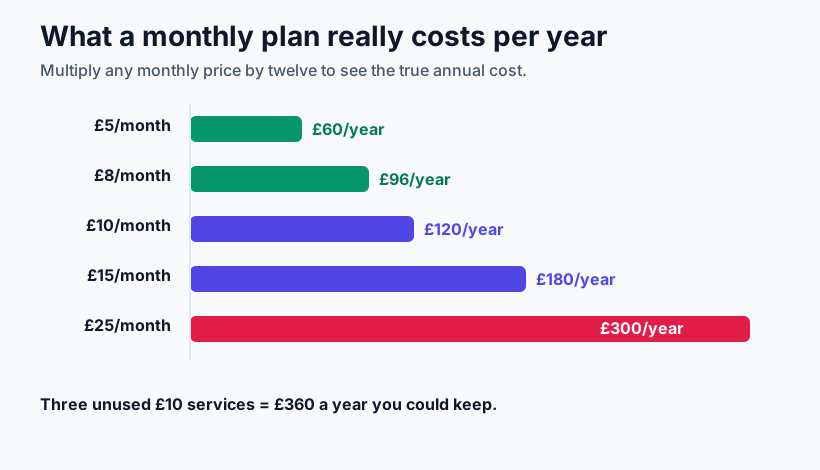
The same figures written out:
- £5/month = £60/year
- £8/month = £96/year
- £10/month = £120/year
- £15/month = £180/year
- £25/month = £300/year
Three £10 services you never touch is £360 a year you could keep. For a deeper look at typical spending, see our guide to the true cost of streaming for UK households.
UK streaming prices and tiers
The table below is the source of truth for pricing in this guide. All amounts are in pounds per month and were manually verified on 27 October 2026. Plans and features change often, so treat the trade-offs as the things to confirm directly with each provider before you subscribe.
| Service | Lowest tier | Standard tier | Premium tier | Trade-offs to check |
|---|---|---|---|---|
| Netflix | £7.99/month | £13.99/month | £20.99/month | Ads, downloads, streams, picture quality, number of devices |
| Disney+ | £6.99/month | £11.99/month | £15.99/month | Ads, downloads, streams, picture quality, number of devices |
| Prime Video / Amazon Prime | £7.99/month | £8.99/month | £8.99/month | Membership benefits, adverts, add-ons |
| Apple TV+ | £9.99/month | £9.99/month | £9.99/month | Library size, trial eligibility, bundle value |
| NOW — Sports | £27.99/month (Monthly membership) | £27.99/month (Monthly membership) | £31.99/month (with Boost) | Membership length, Boost, which sports are included |
| Paramount+ | £5.99/month | £9.99/month | £12.99/month | Ads, downloads, bundle availability |
Prices are indicative UK list prices in GBP, last checked 27 October 2026. Exact plan features vary — please confirm the current details on each provider's own website.
Keep: the services that earn their place
Start with the good news. Any service you use most weeks and genuinely enjoy is money well spent — keep it. The goal is never to cut for the sake of cutting. If Netflix is on every evening or the children adore Disney+, those services are earning their place. Keeping what you love is exactly the point; the savings come from everything else.
Switch: the same shows for a smaller bill
Before you cancel a service you like, check whether a cheaper option gives you almost the same thing. Two switches save the most money for the least effort:
- Move to a lower tier. Many services offer an ad-supported plan for less. If you do not mind the odd advert, you keep the same catalogue for a lower monthly price. Weigh it up in our guide to whether ad-supported tiers are worth it.
- Switch monthly to annual. Where you know you will keep a service all year, an annual plan is often cheaper overall. See annual versus monthly plans to check which saves more.
Use the trade-offs column in the table above to decide what you are willing to give up — ads, downloads or picture quality — in exchange for a lower price.
Pause: stop paying between shows
You do not have to choose between keeping a service forever and cancelling it for good. Pausing sits neatly in the middle: subscribe when there is something you want to watch, then stop paying once you have finished. This works especially well for services you use in bursts, such as a sports package out of season or a service with one must-watch series.
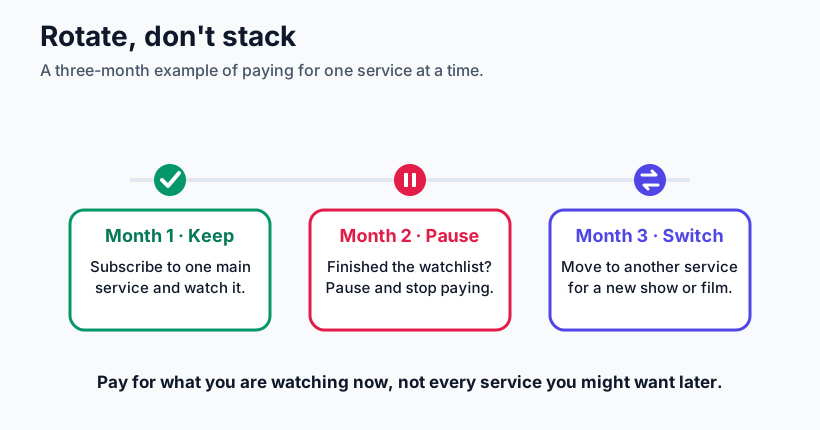
A simple rotation looks like this:
- Month 1 — Keep: subscribe to one main service and watch what you want on it.
- Month 2 — Pause: once you have finished your watchlist, pause it and stop paying.
- Month 3 — Switch: move to another service for a new programme or film run.
The central principle: pay for what you are watching now, not every service you might want later. For more, read our full guide to subscription rotation and the best time of year to subscribe and cancel.
Cancel: let go of what you never open
Finally, be honest about the services you have not opened in months. If you rated one "rarely" or "never", it is a strong candidate to cancel. There is no loyalty penalty and no lost progress — your watchlist and history are still there if you return. If you are torn between two similar services, our comparison of Netflix, Disney+ and Prime Video can help, and how to cancel a streaming subscription walks through the practical steps.
Put it all together in fifteen minutes
Run a quick audit: list every service, multiply each monthly price by twelve, and mark each one Keep, Switch, Pause or Cancel. Our step-by-step guide to auditing your subscriptions in fifteen minutes makes it painless, and the calculator does the sums for you.
How we check these prices (our methodology)
We check headline prices manually against each provider's official UK website and record the date we last confirmed them — in this guide, 27 October 2026. We show list prices in pounds and focus on the plan cost, because features and bundle deals change frequently and are best confirmed at the point of subscribing. Where a service has several tiers, we note the trade-offs to check rather than listing every feature, so the information stays accurate between reviews. If you spot a price that looks out of date, it usually means the provider has changed it since our last check.
Affiliate transparency
StreamingSaveMoney is free to use. Some links to providers may be affiliate links, marked clearly with #ad · paid link. If you subscribe through one, we may earn a small commission at no extra cost to you. As an Amazon Associate, we earn from qualifying purchases. These relationships never change which plan we recommend or the prices shown above — our advice is based only on what saves you money on the shows you actually watch.
Keep reading
- How to audit your streaming subscriptions in 15 minutes
- Subscription rotation: watch everything for less
- Are ad-supported streaming tiers worth it?
- Annual vs monthly streaming plans: which saves more?
- The true cost of streaming for UK households
Ready to see your own savings? Open the free StreamingSaveMoney calculator and decide what to keep, switch, pause or cancel. Figures in this guide are United Kingdom examples in pounds, last checked 27 October 2026.